
Stream Timer Studio: Free Countdown Timer for OBS & Streamlabs
Design a countdown, count-up or stream clock with live preview, 60+ fonts and animations, then export one HTML file for OBS or Streamlabs. Free, no signup.
- OBS Studio
- Streamlabs
- XSplit
- Meld Studio
From discovery to your next broadcast
Plan your setup
Check compatibility
Listed platforms: OBS Studio, Streamlabs, XSplit, Meld Studio. Confirm the required versions and dependencies before installing.
Preview before going live
Use a separate test scene or project. Check readability, timing and performance with your own layout and recording settings.
Make it your own
Follow the setup instructions below, check the creator’s license and save a working configuration before changing your broadcast.
A closer look
Design a countdown, count-up or stream clock with live preview, 60+ fonts and animations, then export one HTML file for OBS or Streamlabs. Free, no signup.
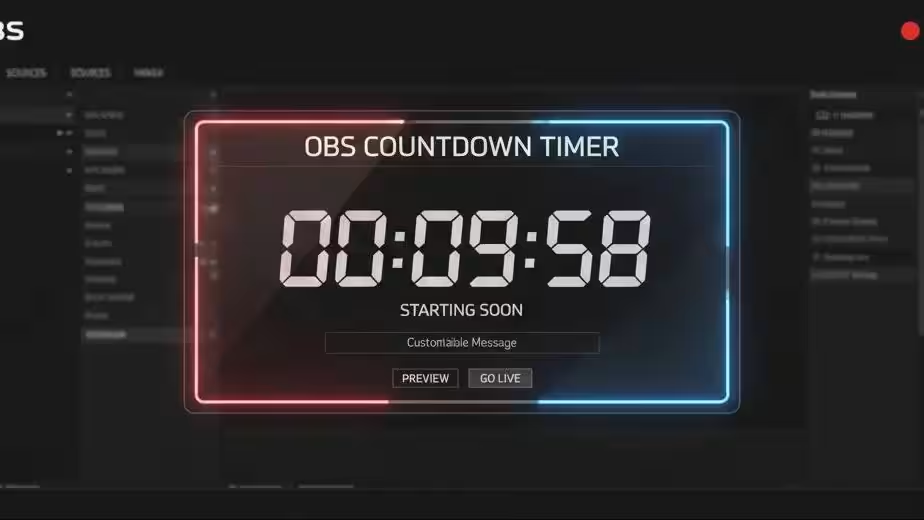
Stream Timer Studio is a free countdown timer generator that runs in your browser. Design a starting-soon countdown, a count-up for long streams or a live stream clock, watch it update in a real-time preview, then export one lightweight HTML file (typically 10 to 18 KB) with a transparent background. No account, no signup, and no data leaves your browser.
Timer modes
- Countdown to a date: count down to a stream start, launch or event.
- Fixed-duration countdown: a set length for breaks and "be right back" screens.
- Count-up from a date or from zero: show how long you have been live or how long a marathon has run.
- Clock only: a clean stream clock, with the current date and day of the week if you want them.
Design options
- Typography: 60+ font families such as Orbitron, Tektur, Anton and JetBrains Mono, weights from 300 to 900, number and label sizes, letter spacing, tabular numerals, italics and text transforms.
- Colors and backgrounds: transparent, solid, linear or radial gradient backgrounds, with separate colors for numbers, labels, title, accents and boxes, plus glow, drop shadow, scanlines and grain.
- Layouts: boxed (each unit in a card), inline (12:34:56), segmented, stacked or minimal numbers only, with alignment and vertical positioning.
- Animations: fade, slide, scale or flip tick animations, a blinking colon, a color shift in the last 10 seconds and a shake in the last 5.
- Units and languages: show days, hours, minutes, seconds and milliseconds as needed, a 24-hour clock toggle and labels in 12 languages, including English, German, French, Spanish, Portuguese, Japanese, Korean and Chinese.
- Presets: start from a ready-made template and adjust from there.
Export options
Download the timer as a self-contained .html file, or copy it as HTML, Base64 or a ready-to-paste data URL. The exported file is readable, commented HTML with vanilla JavaScript and a configuration object you can edit by hand. Google Fonts are optional; system fonts keep the timer working offline.
Get started
Open Stream Timer Studio, pick a preset or a timer mode and design your countdown in the live preview. Export the HTML file, then add it as a browser source: in OBS Studio choose Browser Source and tick Local file, or paste the data URL into the URL field of a browser source. The same file works as a browser source in Streamlabs Desktop and other streaming apps that load web pages. Size the source to match your layout and test it in a scene before going live.
Files and license
Stream Timer Studio is free to use in your browser. The timers you export are yours to use on your streams.

