GTA 6 Inspired Stream Overlay Pack for OBS | Get Launch Ready
GTA 6 is around the corner. Get your streaming setup ready with animated OBS overlays for Starting Soon, BRB, Just Chatting, and a transparent camera frame.
- OBS Studio
- Streamlabs
- XSplit
- Meld Studio


From discovery to your next broadcast
Plan your setup
Check compatibility
Listed platforms: OBS Studio, Streamlabs, XSplit, Meld Studio. Confirm the required versions and dependencies before installing.
Preview before going live
Use a separate test scene or project. Check readability, timing and performance with your own layout and recording settings.
Make it your own
Follow the setup instructions below, check the creator’s license and save a working configuration before changing your broadcast.
A closer look
GTA 6 is around the corner. Get your streaming setup ready before your first night in Vice City.
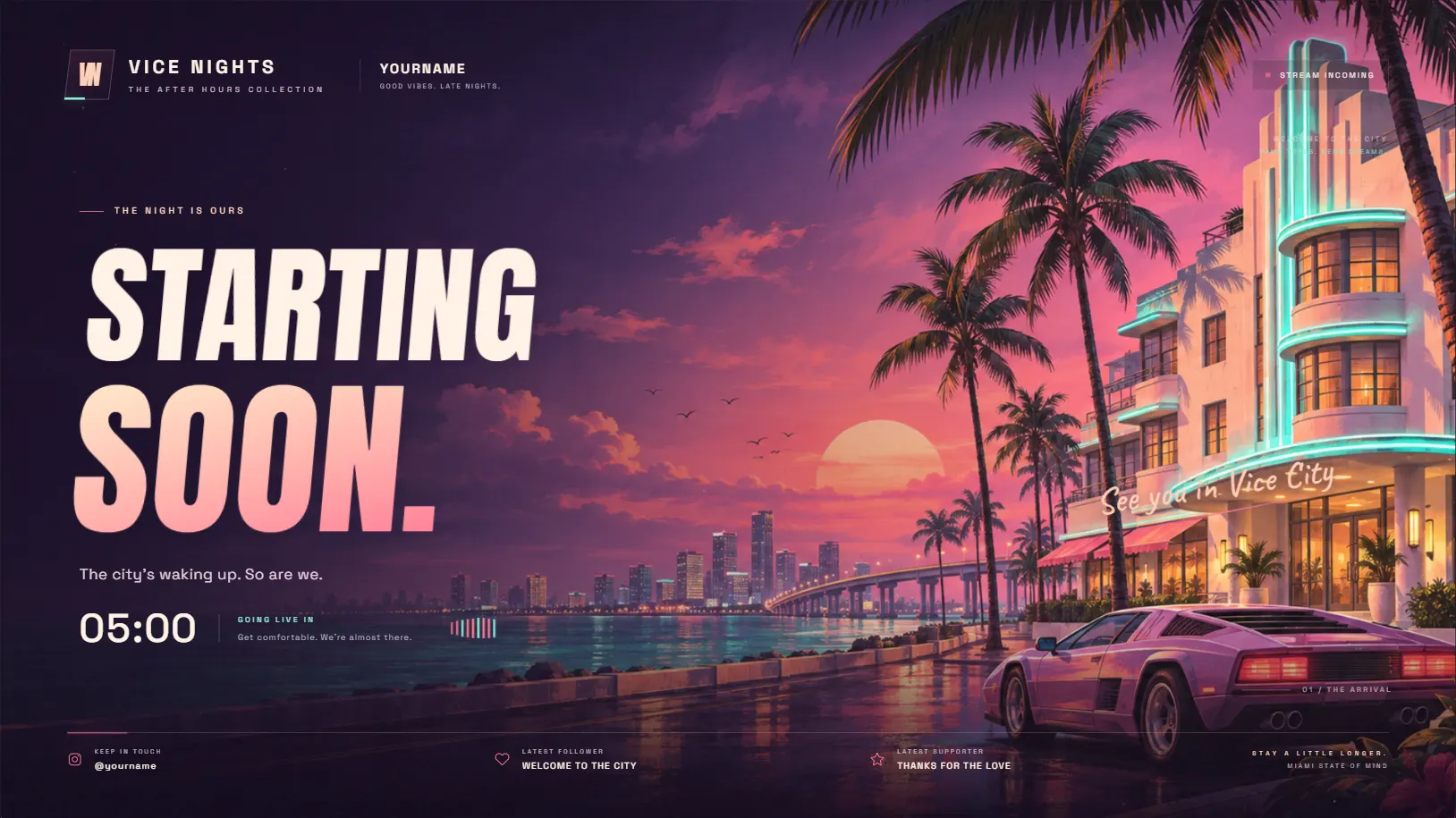
Vice Nights is an animated GTA 6 inspired stream overlay pack for OBS, designed for creators preparing for launch streams, gameplay broadcasts, and conversations with their community.
Bring the atmosphere of Vice City to your channel with illustrated Miami sunsets, palm trees, neon lighting, and bold typography. Four matching overlays give your stream a consistent look from the opening countdown to your final conversation.
Four animated overlays for your GTA 6 streams
- Starting Soon: Welcome your viewers with a cinematic waterfront scene and a customizable countdown while you prepare to go live.
- Be Right Back: Keep the Vice City atmosphere on screen during breaks with a rooftop pool scene and subtle ambient animation.
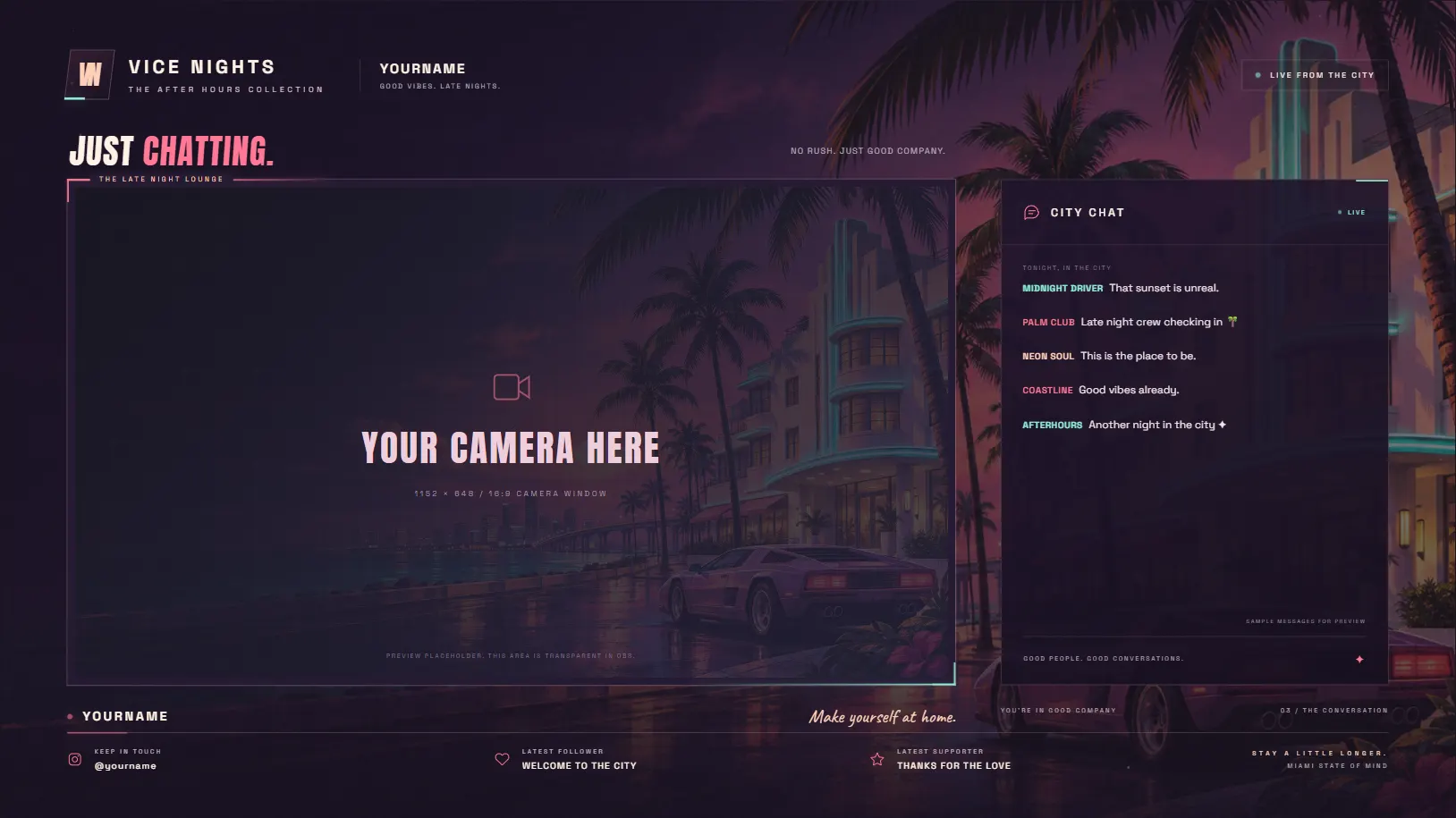
- Just Chatting: Talk about GTA 6, share your first impressions, or catch up with your community using a large transparent camera window and a dedicated chat panel.
- Camera Frame: Add a matching animated webcam border and channel nameplate to your gameplay layout.
Customize your GTA 6 streaming setup
Make the overlays feel like your channel. Change your displayed name, social handle, tagline, countdown duration, accent color, and footer text.
Use the included interactive preview to explore every scene, personalize your settings, and download your configuration. A static mode is also available.
Get your OBS scenes ready before launch
- Extract the overlay ZIP into a permanent folder.
- Customize the included settings.
- Add each scene as a local Browser Source in OBS.
- Position your camera and add your own chat widget using the setup guide.
Artwork and fonts are included locally, so the overlays work offline. No subscription or build step is required.
What's in the download?
- Three animated full-screen scenes at 1920 × 1080.
- One transparent camera frame at 1280 × 760.
- Original illustrated backgrounds and bundled fonts.
- Editable settings and an interactive preview.
- Setup instructions with camera and chat placement details.
Format: Animated HTML browser overlays supplied in a ZIP. Add your own camera and live chat widget. Follower and supporter labels are manually editable. Includes AI-assisted illustrations.
Get Vice Nights and give your GTA 6 streams a setup that matches the occasion.